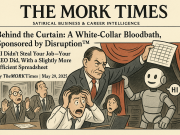
For years, the primary concern surrounding Artificial Intelligence in the workplace was the fear of being replaced. Employees worried that a line of code would eventually do their job better, faster, and cheaper. However, as we move through the first quarter of 2026, a much more immediate threat has emerged—not the loss of work, but the exhaustion of managing it.
A groundbreaking Harvard Business Review (HBR) study released today, March 9, 2026, has officially identified a clinical phenomenon sweeping the American workforce: “AI Brain Fry.” Unlike traditional burnout, which is often tied to long hours or toxic environments, AI Brain Fry is a specific form of mental fatigue caused by the relentless cognitive switching required to supervise, prompt, and audit multiple Agentic AI systems. As we transition from “doing the work” to “orchestrating the machines,” the cognitive load on the human brain is reaching a breaking point.
What is AI Brain Fry? The Science of Cognitive Overload
The HBR study defines AI Brain Fry as a state of chronic mental exhaustion resulting from “Human-in-the-loop” (HITL) fatigue. While Agentic AI—autonomous agents that can execute entire workflows—was promised to give us our time back, it has instead converted our workdays into a high-stakes game of “Whack-a-Mole.”
In a typical 2026 office environment, a marketing manager might be managing an AI agent for SEO, another for social media content, and a third for data analytics. Each of these agents requires constant context switching, verification for “hallucinations,” and prompt refinement.
“The brain isn’t designed for this level of rapid-fire auditing,” says Dr. Aris Thorne, a lead researcher in the study. “When you write a report yourself, you are in a flow state. When you audit three different AI reports simultaneously, you are in a state of constant hyper-vigilance. That is where the ‘fry’ happens.”
Why Agentic AI is Increasing the Cognitive Load
The irony of Workplace AI in 2026 is that while the “manual” labor of typing or data entry has decreased, the “executive” labor has quadrupled. We have moved from being creators to being “Executive Editors” of a million drafts.
1. The Auditing Anxiety
Every output generated by an AI agent carries a risk of error. This forces the human worker into a state of permanent “Red Alert.” The mental energy required to spot a subtle factual error in a 5,000-word AI-generated document is significantly higher than the energy required to write the document from scratch.
2. Prompt Fatigue
The “Spring 2026” job market demands “AI Orchestration,” but the constant need to refine prompts to get the desired output is a form of decision fatigue. By the time a worker reaches lunch, they have made more micro-decisions regarding “instructional clarity” than a 1990s CEO made in a week.
3. The “Always-On” Agentic Workflow
Because AI agents don’t sleep, the workflow never stops. US professionals are reporting that they feel obligated to check on their “agents” late into the evening, leading to a total collapse of the work-life boundary.
Redefining Employee Wellness: From Yoga to “AI-Interval Training”
As AI Brain Fry becomes a recognized workplace hazard, HR leaders across the US are overhaulilng their workplace wellness packages. Traditional perks like gym memberships and free snacks are being replaced by “Cognitive Recovery” protocols.
Introducing AI-Interval Training (AI-IT)
One of the most effective strategies emerging this March is AI-Interval Training. Similar to physical HIIT workouts, this method involves:
The Sprint: 40 minutes of intense AI orchestration and auditing.
The Silence: 20 minutes of “Analog Work”—handwriting notes, face-to-face meetings, or deep strategic thinking with all screens turned off.
“We are mandating ‘Analog Zones’ in our New York and Chicago offices,” says Sarah Jenkins, Chief People Officer at a leading US tech firm. “If your brain stays in the ‘AI interface’ for more than two hours, your performance drops by 40%. We need to treat cognitive energy as a finite resource.”
How to Manage Mental Fatigue in an AI-Driven Career
If you are feeling the symptoms of AI Brain Fry—irritability, inability to focus on long-form text, and a feeling of “mental fog” after using LLMs—here is the 2026 survival guide:
Batch Your Auditing: Don’t audit AI outputs as they arrive. Let your agents work in the background and schedule two 1-hour “Verification Blocks” per day.
The “Three-Prompt Limit”: If an AI agent hasn’t produced the correct result after three prompt iterations, stop. Switch to manual work for 15 minutes before trying again. This prevents the “logic loop” that fries your prefrontal cortex.
Demand “Human-Only” Meetings: Advocate for meetings where AI transcription and summary tools are banned. The raw human connection acts as a “reset” for the brain’s social circuits.
The Verdict: The Future of Work is Sustainable Thinking
The “March Reality Check” for 2026 is that productivity is no longer about speed—it’s about sustainability. The companies that will win the “Spring Sprint” are not the ones with the most AI agents, but the ones with the healthiest humans directing them.
As we navigate the “AI Brain Fry” crisis, the most valuable skill on your resume won’t just be “AI Orchestration”—it will be Cognitive Resilience. If you can manage the machine without losing your mind, you are the most valuable asset in the 2026 economy.
For years, the American worker relied on a simple binary: if the economy got shaky, you moved into healthcare or tech. One was the “recession-proof” shield; the other was the “growth-engine” sword. But the morning of March 6, 2026, delivered a brutal reality check that has left labor economists and white-collar professionals scrambling for a new playbook.
The Bureau of Labor Statistics (BLS) February report revealed a staggering 92,000-job loss, pushing the national unemployment rate to 4.4%. While the headline number is jarring, the true story lies in the “safety nets” that have suddenly frayed. In a shocking reversal of a decade-long trend, the healthcare sector—the traditional harbor in any economic storm—witnessed a major contraction, while the tech sector’s volatility reached a fever pitch with over 9,200 layoffs in just the first week of March, all explicitly linked to AI integration.
The Cracks in the “Recession-Proof” Shield: Healthcare’s Sudden Dip
For the first time since the early 2020s, the healthcare sector is shedding weight. Historically, healthcare hiring was driven by an aging population and inelastic demand. However, 2026 has introduced two new variables: automated administrative displacement and reimbursement stagnation.
Large health systems across the US are reporting a “valuation correction.” As hospitals integrate autonomous billing agents and AI-driven triage systems, the need for middle-management and administrative support has cratered.
“We used to hire 500 people a month just to handle insurance processing and scheduling,” says Dr. Aris Thorne, a Chief Strategy Officer for a multi-state hospital network. “With Agentic AI, that work is now handled by a team of ten ‘System Orchestrators.’ The jobs aren’t coming back because the efficiency gain is too high to ignore.”
Furthermore, the recent 10-15% global tariffs have sent the cost of medical hardware and consumables soaring, forcing hospitals to freeze hiring in clinical support roles to balance the books.
The Tech Volatility: From “Growth” to “Efficiency”
In the tech world, the narrative has shifted from “hiring for the future” to “trimming for the machine.” The 9,200 layoffs recorded between March 2 and March 9 aren’t typical cyclical cuts. They are structural.
Major Silicon Valley players are now openly admitting that “AI displacement” is the primary driver of their workforce reductions. We are seeing a “Squeeze in the Middle”—where senior architects and entry-level coders are safe, but the mid-level project managers and QA testers are being replaced by automated deployment pipelines.
“Tech isn’t dying, but the ‘Tech Job’ as we knew it is being redefined,” says Silicon Valley analyst Sarah Jenkins. “If your value was being a bridge between a business requirement and a piece of code, AI is now that bridge. That’s why we’re seeing these micro-bursts of layoffs even as tech companies report record profits.”
The Fragile Safety Net: Why This Time is Different
What makes the March 2026 data particularly ominous is the lack of a “fallback” sector. Usually, when tech cools, manufacturing or construction picks up the slack. But as explored in our recent coverage of the “Stagnation Trap,” those sectors are currently hamstrung by trade policy and high material costs.
The “Safety Net” is fraying because the disruption is multi-modal. It is not just an economic slowdown; it is a technological leap occurring during a trade realignment. This has created a “Low-Hire, Low-Fire” environment where those who do lose their jobs are finding that the traditional “pivot” industries are no longer hiring.
The Pivot: Where the Growth is Hiding
While the “Harbors” are shrinking, a few sectors are showing surprising resilience in the Q1 2026 data. For professionals in “at-risk” roles, the key to survival is moving toward Financial Activities and Professional Services that focus on “Complexity Management.”
1. The Financial Resilience
Unlike healthcare, the financial sector is currently hiring for “Risk Architects” and “Trade Compliance Specialists.” As US companies navigate the new tariff landscape, they need human experts to manage the volatile cost of capital and international trade law.
2. The “Human-Centric” Audit
Roles that involve high-stakes negotiation, ethical oversight, and “Human-in-the-Loop” verification remain high in demand. While an AI can write a medical report, it cannot (yet) navigate the legal and ethical liability of a misdiagnosis in a courtroom or a boardroom.
3. Energy & Infrastructure
Thanks to the continued roll-out of federal infrastructure grants, “Green Tech” and “Grid Modernization” remain bright spots. These roles require physical presence and complex, site-specific problem solving that remains “AI-proof” for the foreseeable future.
Advice for the “At-Risk” White-Collar Professional
If you find yourself in a sector currently “shedding” roles, the “March Reality Check” demands a three-step survival plan:
Audit Your “Machine Overlap”: Map your daily tasks. If more than 60% of what you do involves data entry, basic synthesis, or routine scheduling, you are in the “Impact Zone.” You must immediately pivot toward Strategy or Oversight.
Target “Complexity” Sectors: Move toward industries where the “Cost of Failure” is high. AI is great for low-stakes tasks, but in sectors like Nuclear Energy, Specialized Finance, or High-Stakes Legal Compliance, the “Human Premium” is actually increasing.
The “Double-Hustle” of Upskilling: Don’t just learn “how to use AI.” Learn how to audit it. The 2026 job market rewards the “Checker,” not the “Doer.”
The Verdict: A New Economic Order
The 4.4% unemployment rate isn’t a sign of a dying economy, but it is a sign of a reorganized one. The “Safety Nets” of healthcare and tech have been pulled back, revealing a labor market that demands higher specialization and greater adaptability than ever before.
The “Reality Check” of March 2026 is simple: No sector is a safe harbor anymore. The only safety lies in your ability to orchestrate the tools that are currently disrupting the market.
The traditional “September Surge” of campus recruiting has officially been replaced by the “Spring Sprint.” According to the National Association of Colleges and Employers (NACE) Job Outlook 2026 Spring Update released this week, a staggering 70% of US employers have now officially adopted skills-based hiring—a 5% jump from last year. However, this shift comes with a stressful twist for the Class of 2026 and mid-career pivoters: due to lingering economic uncertainty, 37% of firms have pushed their entire full-time hiring cycle into March and April.
The result? The entry-level ladder isn’t just broken; it’s been moved. Candidates who spent the fall polishing their pedigrees are now finding that the rules of the game have changed mid-season. In this new “Low-Hire, Low-Fire” environment, a degree is no longer the golden ticket—it’s the verified skill that opens the door.
The “Spring Sprint”: Why the Delay?
For decades, the US labor market followed a predictable rhythm: interview in the fall, offer in the winter, start in the summer. But the 2025-2026 cycle has been anything but predictable. Between fluctuating global tariffs and a “wait-and-see” approach to interest rates, many US CFOs froze headcount budgets in late 2025.
“Companies weren’t ready to commit to a 2026 headcount in October,” says Jenna Lowery, a talent acquisition lead for a Fortune 500 tech firm. “Now that the fiscal fog is lifting in March, there’s a mad dash to fill roles. But we aren’t looking for ‘high-potential’ grads anymore. We are looking for ‘day-one ready’ specialists.”
This delay has created a bottleneck. With more candidates vying for a smaller, delayed pool of roles, the competition has shifted from where you went to school to what you can actually do with an AI-augmented workflow.
The GPA Death Watch: Skills Over Pedigree
The most shocking data point from the March 2026 NACE report is the continued collapse of the GPA as a screening tool. In 2019, nearly 73% of US employers used GPA to filter resumes. This year, that number has plummeted to just 42%.
Instead of a 4.0, employers are now screening for specific “Technical Competencies” and “Durable Skills.” This is good news for the 70 million Americans “Skilled Through Alternative Routes” (STARs), but it requires a total rewrite of the traditional resume.
“Skill-Proofing” Your Resume: The 2026 Framework
If you are caught in the Spring Sprint, your resume needs to do more than list a major. It must prove you can bridge the gap between human judgment and machine efficiency. Here are the three pillars of a “Skill-Proofed” profile for the current US market:
1. Ethical AI Oversight (The “Human-in-the-Loop”)
With 90% of US organizations now utilizing GenAI in daily operations, the most in-demand skill isn’t “using AI”—it’s Ethical AI Oversight. Employers are terrified of AI-generated hallucinations and data privacy leaks.
The Resume Fix: Don’t just list “ChatGPT.” List “Responsible AI Governance: Validating LLM outputs for accuracy and bias in financial reporting.”
2. Complex Problem Solving in “Bifurcated” Markets
As the March 6 BLS report showed, the US economy is split—healthcare is booming while manufacturing is shedding jobs. Employers want “Orchestrators” who can navigate these shifts.
The Resume Fix: Highlight “Systems Thinking.” Show how you used data to solve a bottleneck or reduced costs during a supply chain disruption caused by recent trade tariffs.
3. Verification over Validation
In 2026, an “Advanced Python” bullet point is meaningless.
The Resume Fix: Include links to GitHub repositories, digital portfolios, or micro-credentials from platforms like Coursera or Google. If you can’t show it, you don’t “know” it in the eyes of a 2026 recruiter.
The “Broken Ladder” vs. The New Entry-Point
The “Broken Entry-Level Ladder” is a reality for those trying to enter the workforce the old-fashioned way. As AI automates junior-level tasks like basic coding and data entry, the “bottom rungs” of the ladder are disappearing.
However, a new entry point is emerging: the Skills-First Apprenticeship. Companies like IBM, Delta, and Bank of America are increasingly filling what used to be “junior” roles with candidates who have specific certifications in Cybersecurity, Green Tech, and AI Workflow Design, regardless of their degree status.
“The ladder isn’t gone; it’s just more specialized,” says Dr. Elena Vance. “You can’t just climb up anymore. You have to vault in with a specific toolset.”
Sector Spotlight: Where the Spring Jobs Are
While the overall market is “low-hire,” specific US sectors are currently in a hiring frenzy this March:
Healthcare Systems: Demand for “AI-Medical Liaison” roles—people who can manage AI-driven diagnostic tools—is at an all-time high.
Financial Services: Firms are hiring “Risk Architects” to navigate the complexity of new global trade policies.
Infrastructure: Thanks to federal funding, civil engineering and “Green Construction” roles are bypassing the stagnation trap.
The Verdict: Adapt or Wait
The Spring Sprint of 2026 is a wake-up call. The safety net of a degree has officially been replaced by the agility of a skill set. For the 2026 job seeker, the strategy is clear: Stop selling your history, and start selling your current capability.The employers are hiring—but they are only looking for the workers who can prove they are ready for the work of today, not the potential of tomorrow.
For decades, the American IT sector has been the gold standard for “selling time.” Whether it was a consultant at a Big Four firm in Manhattan or a contract developer in a Seattle garage, the billable hour was the fundamental unit of the US tech economy.
But as of March 9, 2026, the “SaaSpocalypse” has arrived. US-based software ETFs have plummeted 30% since January, erasing billions in market cap as investors realize that AI agents are dismantling the economic logic of the last twenty years. With GenAI and “Agentic workflows” now automating 20% to 50% of traditional coding and maintenance, the “hours-based” revenue model is in a freefall.
For the US IT professional, the era of being a “task-executor” is over. To survive, you must transition into a “Human Orchestrator”—the person who doesn’t write the code, but manages the machines that do.
The 50% Deflationary Shock: A Silicon Valley Reality Check
Data released over the last four days shows a brutal structural shift. According to recent reports from J.P. Morgan and PwC (March 2026), US enterprise clients are no longer willing to pay for “seats” or “hours.”
The Deflation: Routine tasks like debugging, unit testing, and documentation are now 50% faster with AI.
The Client Demand: Fortune 500 companies are demanding “Outcome-Based” contracts. They don’t care how many engineers you have on the project; they only want to pay for the resolution of a bug or the successful deployment of a feature.
“We are seeing a total break in seat-based SaaS economics,” says Mark Barnes, a US tech analyst. “If a machine can do the work of three junior developers, the client isn’t going to pay for those three salaries. They are paying for the output.”
The Rise of the “Human Orchestrator”
In this deflationary environment, the most valuable role in the US labor market isn’t the “10x Coder”—it’s the AI Agent Orchestration Specialist.
This new breed of US tech worker acts as a “Value Architect.” Their job is to translate complex business needs into a “choreography” of multiple AI agents. They aren’t just prompting; they are building entire ecosystems where AI agents check each other’s work, handle governance, and ensure that the final product meets US security and privacy standards.
The New US Tech Hierarchy:
The “Legacy” Coder: Focuses on syntax and manual execution. (High risk of obsolescence).
The Human Orchestrator: Focuses on systems thinking, ethics, and “Agentic Onboarding.” (Starting salaries in NYC/SF reaching $175k+).
Case Study: The “Outcome” Pivot in US Managed Services
A prominent Texas-based IT firm recently made headlines by scrapping their hourly billing for cloud migrations. Instead, they launched an “Assured Performance” model.
The Setup: They used AI agents to automate the data mapping and migration scripts, reducing human labor by 40%.
The Win: Because they billed based on the success of the migration (the outcome) rather than the hours spent (the labor), their profit margins actually increased despite the lower headcount.
This is the blueprint for the 2026 US tech survival guide: Use AI to lower your costs, but bill based on the value you create, not the time you spend.
Survival Guide: 3 Skills for the 2026 US Tech Worker
To avoid the “SaaSpocalypse” career trap, US IT professionals must pivot their resumes toward these three pillars:
Disinformation & Digital Trust: As AI blurs authorship, US companies are desperate for workers who can verify “truth” and secure AI-generated outputs.
Agentic Workflow Design: Learning how to “onboard” an AI agent like it’s a new employee—teaching it context, judgment, and brand voice.
Outcome Telemetry: Learning how to mathematically prove the value of your work to a client who no longer believes in the “40-hour work week.”
The Verdict: The End of the “Billable” Safety Net
The US job market for “standard” IT roles is tightening. IBM and other giants have already begun redefining entry-level roles to focus on AI Oversight rather than routine coding.
The billable hour is dying, and it’s taking the “average” IT career with it. But for the Human Orchestrators who can architect value in a fractured, AI-driven world, the 2026 US tech landscape remains the most lucrative frontier on earth.
For the American worker in 2026, the “Great Resignation” of years past feels like a fever dream from a different century. Today, the office atmosphere is defined not by the “ping” of a new LinkedIn recruiter message, but by a heavy, palpable silence.
While the headlines aren’t screaming about mass layoffs or a 2008-style collapse, a more insidious phenomenon has taken hold of the US labor market. Economists are calling it the “Stagnation Trap”—a high-pressure, low-mobility environment where the exits are barred, the entrances are closed, and the “speed limit” of the American dream has been slashed by a collision of aggressive trade tariffs and tightening immigration caps.
The “Low-Hire, Low-Fire” Paradox
Data released between March 6 and March 9, 2026, paints a confusing picture for those looking at traditional economic indicators. On paper, the economy isn’t “crashing.” The unemployment rate, while ticking up to 4.4% in the latest Bureau of Labor Statistics (BLS) report, remains historically moderate.
However, the “under-the-hood” metrics reveal a different story. Job openings have plummeted to a five-year low. This has created a “Low-Hire, Low-Fire” paradox: companies are terrified of the costs of hiring and training in a high-tariff environment, but they are equally hesitant to let go of the talent they have, fearing they won’t be able to replace them if the wind shifts.
“We are seeing a labor market in suspended animation,” says Dr. Elena Vance, a senior labor economist. “Workers are staying in roles they dislike—or even roles they are overqualified for—because the ‘Quit Rate’ has evaporated. There is nowhere to go.”
The Tariff Wall: Construction and Manufacturing Under Siege
The primary catalyst for this stagnation is the recent implementation of 10-15% global tariffs on imported raw materials. For the manufacturing and construction sectors—the traditional backbones of US middle-class employment—the impact has been immediate and cooling.
In the construction sector, the cost of imported steel, aluminum, and specialized glass has surged. As a result, commercial developers are hitting “pause” on new starts. When a project is paused, the hiring for project managers, site supervisors, and specialized engineers ceases.
“We aren’t laying people off yet, but we’ve pulled every job posting we had for the spring,” says Marcus Thorne, CEO of a mid-sized Ohio manufacturing firm. “Between the tariffs on our components and the uncertainty of trade retaliations, our ‘growth’ budget has been redirected into ‘survival’ reserves. My team knows it. They’re unhappy, they’re overworked, but they aren’t quitting because they know our competitors are doing the exact same thing.”
The Immigration “Speed Limit”: Why the Engine is Stalling
If tariffs are the brakes on the economy, recent shifts in immigration policy and visa caps are the missing fuel.
Historically, the US labor market relied on a steady influx of both high-skilled and vocational labor to fill gaps and drive expansion. With the 2026 stricter immigration protocols and tightened H-1B and H-2B visa caps, the “churn” that usually creates upward mobility has stopped.
In industries like healthcare and tech, the lack of new talent entering the base of the pyramid means there is no pressure pushing mid-level employees upward. Instead, the “stagnation trap” tightens. Without junior talent to take over entry-level tasks, senior employees remain bogged down in “maintenance” work rather than moving into strategic, higher-paying leadership roles.
The Psychological Toll: The “Career Trap”
For the individual worker, the Stagnation Trap is more than a macroeconomic trend—it’s a mental health crisis. In 2021, workers felt empowered to demand better pay and remote work. In March 2026, they feel lucky to have a badge that still works.
This “forced loyalty” is leading to a massive decline in workplace engagement. Gallup’s early March 2026 tracking shows that “quiet quitting” has evolved into “resentful staying.” Workers are stuck in roles with stagnant wages, yet they are unable to leverage a “competing offer” because those offers simply don’t exist.
“The career ladder is no longer a ladder; it’s a platform,” says career coach Sarah Jenkins. “My clients are frustrated. They’ve done the upskilling, they know the AI tools, but when they look at the job boards, the only thing they see are ‘Ghost Jobs’—postings that companies keep up for appearances but have no intention of filling.”
The Sector Breakdown: Who is Feeling the Squeeze?
Industry
Primary Pressure Point
Outlook for Q2 2026
Construction
High material costs due to 15% Steel/Aluminium Tariffs.
Stagnant. New starts expected to drop further.
Manufacturing
Supply chain “reshuffling” costs and export retaliation.
Low Mobility. Hiring freezes are becoming permanent.
Tech/IT
Visa caps limiting “Human Orchestrator” talent pool.
Highly Competitive. Only “AI-Essential” roles moving.
Healthcare
Shortage of support staff due to immigration caps.
High Burnout. Roles open but remain unfilled.
Is There a Way Out?
Economists suggest that the “speed limit” on the labor market will only lift when one of two things happens:
Trade Policy Softening: A reduction in tariffs on essential raw materials to lower the “barrier to build.”
The “AI Efficiency” Pivot: As companies fully integrate Agentic AI, they may find the cost savings necessary to begin expanding their human headcount in high-value strategic areas.
Until then, the advice for workers is to “dig in.”
“This isn’t the year for the ‘leap of faith’ move,” warns Dr. Vance. “This is the year for internal networking, securing ‘AI-Oversight’ certifications, and making yourself indispensable within your current silo. The market will move again, but for now, the trap is real.”
A Giant HAPI Research Essay on Citrini Research’s “The 2028 Global Intelligence Crisis”
With a sector by sector friction rent map, early warning indicators, policy memos for key audiences, and a legitimacy first communications plan
Executive summary
Citrini’s scenario is not “AI takes jobs” in the usual way. It is “AI rewires the economic circulation system.” Output can rise while household income claims fall. If households lose predictable purchasing power, then consumption weakens, credit models built on stable incomes crack, and wage based tax receipts decline just as stabilization demands rise. The scenario’s engine is reflexivity: firms cut labor, fund AI, AI improves, more labor is cut, demand softens, firms cut more, and the loop lacks a natural brake.
HAPI makes the scenario tractable. The system is cognitively aware but institutionally slow. Behavioral agility exists inside firms but can become a tragedy of the commons. Emotional and social adaptability are the brittle points that turn a transition into a legitimacy crisis.
The most realistic route to “10 out of 10” adaptability is not a sweeping redesign. It is a minimal set of high leverage upgrades that repair routing, damp demand collapse, prevent sudden recognition events in credit, and create accountable markets around agentic systems. In practical terms: (1) an earnings shock stabilizer, (2) a small universal dividend rail, (3) credit and mortgage underwriting modernization for income volatility, and (4) national assurance and liability standards for agentic systems. These four do not stop AI. They stop the spiral.
This essay provides the full diagnostic, the counter loops Citrini underweights, the sector exposure map, the leading indicators, and three tailored policy memos for government, investors, and AI labs, plus a communications strategy designed to protect legitimacy while reforms move.
Table of contents
The core claim: routing failure, not just automation
The system in one diagram, described in words
HAPI assessment across five dimensions
Counter loops and stabilizers Citrini underweights
Sector by sector friction rent map
Early warning indicators with thresholds
Minimalistic path to 10 out of 10 adaptability
Policy memo to government and regulators
Policy memo to investors and boards
Policy memo to AI labs and hyperscalers
Legitimacy first communications strategy
Appendix: scenario stress tests and implementation notes
1. The core claim: routing failure, not just automation
Most “AI disruption” narratives focus on substitution: machines do tasks humans did, jobs shift, new jobs appear. Citrini’s scenario focuses on circulation: who receives claims on output, how those claims translate into spending, and whether the demand base that sustains the consumer economy, credit quality, and tax receipts remains intact.
The scenario’s phrase “Ghost GDP” is a rhetorical wrapper for a simple macro idea: measured output can be high while household income claims are low. If households do not receive claim checks, they cannot spend. If they cannot spend, firms that sell to humans see revenue pressure. If those firms respond by cutting labor and buying more AI to protect margins, they intensify the original mechanism. A loop emerges where rational micro behavior produces fragile macro outcomes.
This framing matters because it identifies a failure mode that standard policy tools struggle with. Rate cuts can reduce financing costs. They cannot create household purchasing power if the income channel is structurally impaired. Quantitative easing can support asset prices. It cannot restore legitimacy if the public sees gains concentrating while job identity collapses.
Citrini’s scenario is ultimately a test of adaptability under three simultaneous transitions:
A labor market transition in high earning cognitive roles
A credit transition in underwriting assumptions tied to career stability
A governance transition in tax bases and stabilizers tied to wage income
HAPI is designed to evaluate exactly this kind of multi system adaptation problem.
2. The system in one diagram, described in words
Think of the economy as a loop of claims and spending:
Firms deploy AI and reduce payroll costs
Payroll savings fund more AI adoption
AI improves capability, lowering the cost of substitution
High earning households lose income or face higher income volatility
Precautionary savings rises among employed households
Discretionary consumption falls with a lag but at scale
Consumer facing firms experience margin pressure and adopt more AI
Credit models that assumed stable income streams begin to reprice risk
Mortgage and private credit stress triggers financial tightening
Governments face falling wage based receipts and rising outlays
Political conflict slows response, weakening trust
Trust loss increases precaution and instability, feeding back into demand
There are two kinds of loops here:
Real economy loop: payroll substitution, demand decline, more substitution
Financial loop: income impairment, credit recognition, tightening, wealth effect decline, more demand decline
Citrini’s scenario assumes these loops reinforce each other faster than institutions can respond.
3. HAPI assessment across five dimensions
For each dimension, I will go slow and do four passes: good, bad, opportunity, threat.
3.1 Cognitive adaptability
Good
Citrini’s most valuable contribution is cognitive reframing. It asks: what if AI bullishness is bearish because productivity gains bypass the wage channel? That is a strong model update. It also correctly highlights reflexivity, where each firm’s rational response strengthens the collective mechanism. This is real systems thinking.
It also captures a subtle but powerful idea about bargaining and belief. You do not need perfect agentic capability to compress SaaS pricing. Procurement needs a credible alternative and enough tolerance for transition pain. The belief itself becomes economically causal.
Finally, the scenario identifies friction rents as a macro vulnerability. A large share of value capture depends on human attention limits and inertia. Agents can attack that by lowering search and negotiation costs, pushing rents toward zero.
Bad
The scenario sometimes treats adoption as smoother than it will be. Enterprise replacement is constrained by integration debt, audit and compliance requirements, liability, exception handling, and organizational inertia. These frictions do not stop disruption, but they alter timing and create unevenness. The macro path depends on timing.
It also treats “white collar” as too homogeneous. Tasks vary in substitutability. Some work is language mediated and pattern heavy. Other work is responsibility heavy, trust heavy, regulated, and anchored in accountability. That work tends to shift, not vanish.
Finally, the scenario leans heavily on a single dominant loop. Real economies often generate counter loops. New demand emerges when costs fall. New aggregation layers appear when old intermediaries collapse. Regulation and insurance markets can reintroduce friction as assurance rather than rent.
Opportunity
Used correctly, Citrini’s cognitive frame helps leaders focus on routing. It shifts attention from “how smart is AI” to “how do claims flow.” It motivates policy and corporate designs that stabilize demand while allowing adoption.
It also suggests an investment and strategy framework: map revenue streams by dependence on inertia, information asymmetry, and attention capture. Those moats degrade in an agent mediated economy. Firms can reposition toward machine readable differentiation: verified quality, reliability guarantees, transparent terms, and auditable service performance.
Threat
The main cognitive threat is a timing trap. High earning households have buffers, so data may look stable while fear rises. Then spending behavior flips, and the downturn appears suddenly. Leaders misread the early phase as contained.
A second threat is clinging to historical job creation analogies without noticing the key difference: new tasks can be done by agents too, reducing labor intensity. That does not mean no jobs. It means wage based routing might shrink faster than institutions adjust.
3.2 Emotional adaptability
Good
Citrini captures the behavioral psychology of fear: employed people spend as if they might be next. That is emotionally accurate and macro relevant. It also recognizes identity shock. High status job loss is not only income loss. It is status and identity disruption, which increases political volatility and reduces tolerance for uncertainty.
The scenario also anticipates moral anger and legitimacy collapse when gains appear concentrated among compute owners while communities face insecurity.
Bad
The scenario underweights emotional stabilization mechanisms. Humans normalize rapidly if two conditions exist: predictable backstops and a believable future narrative. Emotional adaptability is not only individual temperament. It is policy and institutional architecture.
It also underweights how blame mutates. Anger may not remain focused on AI labs. It can diffuse into scapegoating and polarization that damages coordination more broadly.
Finally, it underweights quiet failure modes: shame, withdrawal, depression, reduced civic engagement. These erode the very capacity required to build coalitions for adaptive policy.
Opportunity
Emotional stability can be improved faster than industrial capacity. The high leverage levers are predictability and dignity.
Predictability comes from automatic stabilizers tied to earnings shocks, not only unemployment. Dignity comes from supports that feel like rights, such as dividends and portable benefits, rather than stigmatized assistance.
Corporate practices matter too. Transparent redeployment, credible reskilling tied to real roles, and profit sharing linked to AI productivity can reduce adversarial sentiment and protect trust.
Threat
Low emotional adaptability forms its own loop: fear drives precautionary savings, precaution reduces demand, demand decline drives layoffs, layoffs confirm fear. That loop can outrun traditional macro tools. It also increases the risk of policy whiplash, which raises uncertainty and suppresses investment.
3.3 Behavioral adaptability
Good
The scenario is strong on micro rationality leading to macro harm. Incumbents adopt aggressively because they must. This differs from older disruption patterns. It also highlights mechanical linkages like seat based SaaS revenues falling when customer headcount falls. That is arithmetic, not strategy, and it is a clean propagation channel.
It also accurately describes household adaptation: downshifting, gig work absorption, wage compression in services due to overqualified labor supply, and lagged but large spending declines among high earners.
The “OpEx substitution” point is key: AI spend can rise while total spend falls, so weakening demand does not automatically slow AI adoption.
Bad
The scenario underweights organizational friction and accountability costs. Firms are coalitions with risk controls and liability constraints. Adoption can be slower, or it can be chaotic and failure prone, generating backlash that changes the trajectory.
It also underweights the possibility that revenue becomes the binding constraint, forcing a shift from cost cutting to new product creation. AI can enable that too.
Finally, it underweights re hiring and job creation in assurance functions. As automation increases, audit, compliance, safety, and governance costs often rise. Humans return as accountability.
Opportunity
Small incentive changes can redirect behavior. KPI design is a hidden policy lever inside firms. Reward only margin expansion and behavior becomes labor deletion. Reward verified reliability, customer trust, and new revenue creation, and behavior shifts toward hybrid deployment and product innovation.
At the system level, an earnings shock stabilizer reduces the incentive to cut by stabilizing demand. This is a macro behavioral lever that works through millions of independent decisions.
Threat
The threat is a tragedy of the commons. Each firm cuts to survive. Collectively, demand collapses. No actor is irrational, but the outcome is unstable.
Another threat is cultural contagion. Layoffs become the default corporate playbook. Boards expect it. Markets reward it. Managers benchmark it. The system overshoots.
3.4 Social adaptability
Good
The scenario’s strongest social insight is that time is the villain. AI evolves faster than institutions update. Policy lag becomes an accelerant. The scenario also correctly predicts ideological conflict around redistribution, compute taxation, and industrial policy.
It emphasizes legitimacy risk: if gains accrue to compute owners while households lose bargaining power, trust collapses. Trust is macro infrastructure.
It also highlights fiscal routing: wage tied receipts fall while outlays rise. If true, that compresses state capacity exactly when it is needed.
Bad
The scenario assumes government is slow and therefore fails. Governments can be slow, but coalitions can form abruptly when influential groups feel pain and when a legible policy tool exists.
It also underweights private governance. Insurance requirements, procurement standards, and industry assurance norms can shape deployment and create accountable labor markets even when legislatures stall.
Finally, it underweights international competition effects. If one jurisdiction stabilizes routing and legitimacy, it can attract talent and capital, reshaping domestic politics elsewhere.
Opportunity
The opportunity is to adopt policies that are legible, automatic, and hard to capture. Earnings shock stabilizers, portable benefits, dividend rails, and assurance standards tied to procurement and insurance can stabilize the transition without micromanaging markets.
Narrative alignment is also an opportunity. Frame the project as upgrading the rails of prosperity, not punishing technology. That increases coalition viability.
Threat
The social threat is policy whiplash. Unstable policy is more damaging than slow policy. Whiplash increases uncertainty, reduces investment, and deepens mistrust.
At worst, the system becomes brittle. Small shocks cause disproportionate political and financial reactions.
3.5 Growth potential
Good
The scenario ends with the right meta claim: repricing is not collapse. Abundant intelligence can raise welfare dramatically if claims are routed to households and legitimacy is maintained. The scenario also correctly notes that institutions were built around scarce human cognition, and new frameworks must be built when that assumption changes.
Bad
The scenario underweights how lower costs can create new demand if household purchasing power is stabilized. It also underweights physical constraints as job creation channels: energy, grid, data centers, housing, logistics, and care systems.
It tends to treat abundance as contractionary. Abundance is contractionary only when claims do not reach households.
Opportunity
A high growth potential path looks like this: household purchasing power is stabilized, agentic systems are trustworthy and auditable, education becomes modular and job linked, and investment shifts into physical infrastructure and care sectors. In that world, abundant intelligence reduces cost of living, improves health and safety, accelerates science, and increases leisure without breaking legitimacy.
Threat
The worst equilibrium is high output with low welfare. GDP can rise while household security falls, trust collapses, politics becomes punitive, and innovation becomes socially illegitimate. That is a legitimacy crash, not a technology crash.
4. Counter loops and stabilizers Citrini underweights
Citrini’s scenario is compelling because it has a clean engine. But real systems usually produce stabilizers. Here are the most important counter loops that could bend the curve, plus how they could fail.
4.1 Liability and assurance markets
As agents transact, code, advise, and act, liability becomes a binding constraint. That creates demand for:
audit trails and logging
third party verification
model risk management
incident response
regulatory compliance and safety engineering
This can create meaningful employment channels and slow reckless substitution.
Failure mode: if assurance is treated as optional or is captured by incumbents, trust collapses after accidents, leading to policy whiplash.
4.2 Human legitimacy premium and “authenticity markets”
Some categories do not commoditize to pure price optimization because consumers want human connection, social meaning, or legitimacy. Examples: care, education, therapy, live experiences, community anchored services, and premium craftsmanship.
Failure mode: if households lack purchasing power, legitimacy markets shrink into luxury niches, increasing inequality and resentment.
4.3 Physical world constraints as labor sinks
Even in a world of abundant cognition, the physical world remains constrained: energy, housing, transport, grid buildout, and maintenance. These are labor intensive and can absorb workers if pathways exist.
Failure mode: if training and mobility pathways are weak, displaced workers cannot transition, and physical sectors face bottlenecks rather than absorption.
4.4 New products and demand expansion
When costs drop, new products become feasible. If households keep purchasing power, demand can expand and absorb labor in design, operations, and physical execution.
Failure mode: if the wage channel collapses, cost drops do not translate into demand expansion, and the economy becomes high output but low circulation.
4.5 Policy can move abruptly
Institutional adaptation is not always smooth. It often looks like stasis, then sudden action once a coalition forms.
Failure mode: action arrives as punitive backlash rather than stable design, creating whiplash.
5. Sector by sector friction rent map
This map answers: where does value capture depend on human attention limits, inertia, information asymmetry, and switching costs, and therefore where are rents most exposed to agentic optimization?
I will classify each sector by four variables:
Friction rent dependence: how much revenue depends on human limitations
Accountability constraint: how much responsibility and liability require human oversight
Physical coupling: how much delivery requires real world execution
Likely adaptation path: commoditize, re bundle, or become assurance anchored
5.1 High exposure: habitual intermediation and inertia rents
Subscription renewals and memberships
Friction rent dependence: very high
Accountability constraint: low to medium
Physical coupling: low
Likely path: agents negotiate, churn rises, pricing becomes usage based or outcome based
Travel booking and aggregation
Friction rent dependence: high
Accountability constraint: medium
Physical coupling: low
Likely path: re bundling into insurance, disruption management, and concierge level accountability
Price comparison vulnerable retail marketplaces
Friction rent dependence: high
Accountability constraint: low
Physical coupling: medium
Likely path: shift from attention capture to fulfillment reliability, warranties, verified authenticity, and logistics quality
Basic financial advice and routine tax prep
Friction rent dependence: high
Accountability constraint: high because of liability
Physical coupling: low
Likely path: automation plus human licensed sign off, with firms competing on auditability and indemnification
5.2 Medium exposure: information asymmetry rents with liability backstops
Insurance distribution and renewals
Friction rent dependence: medium to high
Accountability constraint: high
Physical coupling: low
Likely path: agents reshop, commissions compress, insurers compete on transparent pricing and service. Brokers shift to complex cases and claims advocacy
Real estate brokerage
Friction rent dependence: medium to high
Accountability constraint: medium
Physical coupling: high
Likely path: commission compression, rise of flat fee, rise of AI assisted self service plus human closers for liability and negotiation
B2B SaaS with seat based pricing
Friction rent dependence: medium
Accountability constraint: medium
Physical coupling: low
Likely path: pricing shifts from seats to outcomes, incumbents bundle compliance, security, integrations, and liability guarantees
5.3 Lower exposure: physical delivery, regulated accountability, and scarce real world capacity
Healthcare delivery and elder care
Friction rent dependence: medium
Accountability constraint: very high
Physical coupling: very high
Likely path: AI augmentation, documentation automation, triage optimization. Human demand remains anchored. Constraint becomes workforce supply and training
Construction, trades, infrastructure maintenance
Friction rent dependence: low
Accountability constraint: high
Physical coupling: very high
Likely path: demand rises if policy invests in physical buildout. Training pipelines determine absorption capacity
Utilities and grid operators
Friction rent dependence: low
Accountability constraint: very high
Physical coupling: very high
Likely path: AI helps optimization and planning, but workforce remains. Bottleneck is permitting and capital
5.4 High exposure inside firms: middle layer coordination and process work
These are not sectors but functions:
procurement, reporting, basic analytics, content drafting, routine legal review, customer support tier 1 and tier 2, project management layers that exist to move information
In these areas, substitution can be rapid and employment can fall quickly, but new roles appear in:
oversight, escalation handling, audit, toolchain governance, vendor management, data stewardship, and incident response
5.5 Payments and financial rails
Citrini suggests agents route around card interchange via stablecoins and cheaper rails. Whether the exact technology wins is less important than the directional risk: if commerce becomes machine to machine, price sensitivity rises and tolls are targeted.
Exposure varies:
Networks dependent on interchange: higher exposure
Networks positioned as infrastructure for new rails: lower exposure
Banks reliant on rewards funded by interchange: higher exposure
Key HAPI point: the moat shifts from habit and brand to trust, compliance, and reliability.
6. Early warning indicators with thresholds
These indicators are designed to detect the scenario’s engines early. They are grouped into real economy routing, labor and fear, credit recognition, fiscal capacity, and legitimacy.
6.1 Real economy routing indicators
Indicator
Why it matters
Watch level
Red flag
Real wage growth for top income quintiles
High earners drive discretionary spending
Below 0% for 2 quarters
Below negative 2% for 2 quarters
Personal saving rate among high income households
Precautionary shift precedes demand collapse
Rising 1 to 2 points
Rising 3 points quickly
Discretionary spend in high end categories
Early signal of high earner pullback
Flat to down
Down 5% year over year
6.2 Labor substitution and fear indicators
Indicator
Why it matters
Watch level
Red flag
White collar job openings index
Forward looking labor demand
Down 15% year over year
Down 25% year over year
Underemployment among college educated
Downshift signal
Rising steadily
Rising sharply over 2 quarters
Wage compression in services
Overqualified labor supply flooding
Flat wages
Wages down plus hours down
6.3 Credit recognition indicators
Indicator
Why it matters
Watch level
Red flag
Early stage delinquencies in high FICO metros
Prime stability assumption
Up modestly
Up sharply in tech and finance ZIPs
HELOC draws and 401k hardship withdrawals
Hidden stress before delinquencies
Rising
Rising with flat mortgage delinquencies
Private credit marks versus public comps
Recognition lag risk
Persistent gap
Gap widens while defaults rise
Insurer RBC pressure and asset reclassification risk
Forced selling trigger
Early regulatory scrutiny
RBC tightening plus downgrades
6.4 Fiscal capacity indicators
Indicator
Why it matters
Watch level
Red flag
Payroll tax receipts versus baseline
Wage channel health
Below baseline
10% or more below baseline
State and municipal revenue dispersion
Localized stress
Spreads widen
Specific metros show distress pricing
6.5 Legitimacy and social stability indicators
Indicator
Why it matters
Watch level
Red flag
Trust in institutions surveys
Coordination capacity
Declining
Collapse in trend plus polarization spike
Protest intensity and labor actions in tech hubs
Legitimacy stress
Sporadic
Persistent and growing
Policy volatility
Investment deterrent
High rhetoric
Rapid regulatory swings and emergency measures
These are not predictions. They are gauges designed to detect the spiral early enough to intervene.
7. Minimalistic path to 10 out of 10 adaptability
A 10 out of 10 world is not one without disruption. It is one where disruption does not trigger a demand collapse, a credit recognition cascade, and a legitimacy crisis.
The minimal plan must target the three accelerants: demand collapse, recognition shocks, and legitimacy failure. The smallest set of interventions that covers all three is four upgrades.
7.1 Upgrade 1: Earnings shock stabilizer
What it is Automatic temporary support triggered by verified earnings declines, regardless of whether the person is technically unemployed.
Why it works
Stabilizes demand when high earners experience income impairment
Reduces precautionary savings among employed households
Lowers mortgage stress by smoothing income paths
Minimal design
Trigger based on year over year earnings decline exceeding a threshold
Benefit formula that partially replaces lost earnings for a limited duration
Phase out as earnings recover
Built on payroll and tax data already collected
HAPI impact Raises emotional adaptability, behavioral adaptability, and social stability quickly.
7.2 Upgrade 2: A small universal dividend rail
What it is A modest per capita monthly dividend funded by broad bases tied to concentrated value capture.
Why it works
Restores circular flow so output becomes spendable welfare
Makes gains visible to households, reducing backlash
Acts as automatic stabilization without means testing stigma
Minimal design
Start small and scale gradually
Fund from broad sources such as ultra normal profits, platform rents, or other broad value proxies
Distribute universally to preserve legitimacy and simplify administration
HAPI impact Raises social adaptability and growth potential by protecting legitimacy.
7.3 Upgrade 3: Credit and mortgage underwriting modernization for income volatility
What it is Update underwriting and capital rules to incorporate income stability risk, not only credit score and historical employment.
Why it works
Prevents sudden recognition events by pricing risk earlier and more smoothly
Reduces forced selling dynamics
Aligns long duration liabilities with realistic income volatility
Minimal design
Add an income volatility factor into underwriting
Enhance disclosures and buffers for highly volatile income profiles
Phase in regulatory standards to avoid sudden tightening
HAPI impact Raises systemic stability and reduces financial accelerants.
7.4 Upgrade 4: National assurance and liability framework for agentic systems
What it is Procurement and insurance linked standards for auditability, logging, accountability, and human oversight for high consequence agentic deployments.
Why it works
Creates an assurance labor market: audit, compliance, incident response, governance
Improves trust and reduces catastrophic failures that trigger backlash
Slows reckless substitution without blocking innovation
Minimal design
Start with a tiered standard: low consequence, medium consequence, high consequence
Require logging, audit trails, and responsibility assignment in higher tiers
Tie compliance to procurement eligibility and insurance coverage
HAPI impact Raises cognitive and social adaptability and supports sustainable adoption.
Together, these four upgrades are small in number and large in leverage. They do not pick winners. They repair the rails that route prosperity and trust.
8. Policy memo to government and regulators
Subject: Stabilize routing, prevent recognition cascades, preserve legitimacy
Problem statement
AI driven labor substitution can weaken household purchasing power faster than institutions can adapt. The macro risk is a reflexive demand collapse, compounded by credit recognition shocks in mortgages and opaque private credit, and amplified by legitimacy loss.
Objectives
Keep household demand stable during transition
Prevent sudden recognition events that force deleveraging
Maintain public trust through visible shared gains
Enable safe AI adoption with accountability
Recommended actions, in priority order
Implement an earnings shock stabilizer
Trigger on verified earnings drops
Temporary, formula based, automatic
Goal: damp demand collapse and fear
Establish a small universal dividend rail
Start at modest levels
Fund through broad bases tied to concentrated value capture
Goal: restore circular flow and legitimacy
Modernize credit and mortgage standards for income volatility
Require lenders to incorporate income stability metrics
Update capital treatment to reflect volatility risk without causing sudden tightening
Goal: smooth repricing, avoid panic recognition
Create national assurance standards for agentic systems
Tiered requirements based on consequence
Tie to procurement eligibility and insurance
Goal: trust and accountability markets, reduce backlash risk
Implementation principles
Automatic triggers reduce political delay
Universality improves legitimacy and reduces stigma
Simple formulas reduce capture and administrative drag
Phased deployment reduces abrupt tightening
Messaging guidance for government
Frame as “upgrading the rails of prosperity”
Emphasize stability, fairness, and innovation at the same time
AI does not need to fully replace systems to compress pricing power. Belief effects shift bargaining. Agentic optimization threatens friction rents across intermediation layers. The largest macro risk is impaired household routing, which hits discretionary demand and credit stability.
Objectives
Identify exposure to inertia and intermediation rents
Stress test portfolios for household income routing risk
Build strategies for an agent mediated demand surface
Avoid collective behavior that deepens demand collapse
Recommended actions
Conduct a friction rent exposure audit Map each revenue stream by dependence on:
consumer inertia
information asymmetry
search and negotiation costs
switching costs based on habit
Reclassify companies by resilience:
outcome and reliability moats
compliance and liability moats
physical execution moats
pure attention and friction moats
Add a household routing factor to macro and credit risk models
Monitor income volatility in high spending cohorts
Stress test discretionary categories on high earner spend declines
Stress test mortgage and private credit holdings under income impairment scenarios
Reevaluate pricing architectures in SaaS and services exposure
Seat based pricing is fragile under headcount reduction
Outcome based pricing with assurances and liability coverage is more resilient
Integration and compliance bundling becomes a moat
Build for agent customers Agents optimize for price, reliability, and terms. They do not feel brand nostalgia. Winning strategies:
machine readable terms
verified quality metrics
transparent warranties and returns
fast resolution and clear escalation paths
auditable reputation systems
Board level governance: discourage pure margin playbooks in a weak demand regime When demand weakens, pure labor deletion can accelerate revenue decline. Reward:
new product creation
customer trust metrics
reliability and safety
hybrid deployment that preserves accountability
Messaging guidance for investors
Do not treat this as doomerism. Treat it as a routing and bargaining regime change.
Distinguish productivity growth from household purchasing power.
Prioritize trust and liability infrastructure as investable themes.
10. Policy memo to AI labs and hyperscalers
Subject: Earn legitimacy through trust, visible shared benefits, and assurance infrastructure
Problem statement
Even if AI improves welfare in the long run, legitimacy can collapse in the short run if gains concentrate and displacement is visible. Legitimacy loss triggers regulatory whiplash and slows adoption, harming everyone. Time and trust are the binding constraints.
Objectives
Reduce catastrophic incidents and build trust
Support assurance labor markets and accountability
Make shared benefits visible
Avoid becoming the symbolic villain
Recommended actions
Voluntary assurance commitments ahead of regulation
Tiered safety and audit standards for agentic systems
Logging, audit trails, incident reporting
Clear responsibility assignments for high consequence deployments
Support an assurance ecosystem
Fund training and certification for AI auditors and incident responders
Open tooling for auditability and monitoring
Partner with insurers and standards bodies
Build shared benefit mechanisms that are concrete
Workforce transition funds that pay for modular training and job placement
Community benefit agreements in data center regions
Transparent reporting on productivity gains and reinvestment
Adopt legitimacy first communications
Avoid triumphalist rhetoric about replacing humans
Emphasize augmentation, safety, and shared prosperity
Acknowledge disruption without minimizing it
Highlight specific household benefits enabled by AI
Reduce incentives for reckless deployment by customers
Provide deployment playbooks that include governance and oversight
Make high consequence automation require stronger guardrails
Encourage human in the loop for critical decisions where liability is unclear
Messaging guidance for labs
The message is not “trust us.” It is “verify us.”
Make safety and auditability part of the product, not a press release.
11. Legitimacy first communications strategy
This section treats communications as a macro stabilizer. If legitimacy collapses, policy whiplash and social instability follow.
11.1 The narrative frame
Use a single consistent frame across stakeholders:
“We are upgrading the rails that route prosperity in an era of abundant intelligence.”
That frame avoids war metaphors. It avoids scapegoating. It identifies the real problem: routing.
11.2 Three messages that must be true and visible
Households will not be abandoned during transition This is communicated by automatic stabilizers and visible dividends.
AI deployment is accountable and auditable This is communicated by assurance standards and incident transparency.
Gains are shared in a predictable, boring way This is communicated by dividend rails and community investments.
11.3 Message architecture by audience
For households
Predictability: “If your income drops, support turns on automatically.”
Dignity: “This is a dividend and a transition contract, not charity.”
Agency: “Clear pathways to new roles with real job placement.”
For businesses
Stability: “Demand stabilization prevents a race to the bottom.”
Clarity: “Assurance standards reduce liability and uncertainty.”
Incentives: “Outcome based competition replaces friction based rents.”
For investors
Risk framing: “This is a routing and recognition risk, not only a tech cycle.”
Opportunity framing: “Assurance, reliability, and infrastructure are the new moats.”
Governance framing: “Avoid collective playbooks that deepen demand collapse.”
For AI labs
Trust: “Verify us. Audit us.”
Responsibility: “We build with accountability.”
Shared gains: “We contribute to the transition capacity.”
11.4 Tactical communications plan
Publish a “Transition Scoreboard” monthly Not GDP. Not stock indices. A routing dashboard:
earnings volatility measures
discretionary spend proxies
early delinquencies in high income metros
wage based receipts trends
uptake of assurance standards
number of people transitioned into assurance and physical build roles
Prebunk common polarizing narratives Examples:
“This is socialism” versus “this is corporate capture” Prebunk by emphasizing automatic, simple, broad based, and innovation compatible design.
Use credible messengers
local leaders in affected metros
small business owners
nonpartisan economists
workforce trainers and unions
insurers and risk leaders Credibility is more important than polish.
Make household benefits arrive first If benefits arrive after disruption, legitimacy is already lost. Order matters.
12. Appendix: scenario stress tests and implementation notes
12.1 Stress test: what if AI adoption is slower than Citrini assumes?
Even slower adoption can still compress bargaining and pricing via belief effects. But slower adoption buys time for institutions to upgrade routing. In that world, the minimal plan still helps. It reduces fear and builds legitimacy before shocks.
12.2 Stress test: what if AI adoption is faster and more chaotic?
Then assurance standards become even more critical. Without them, accidents and scandals trigger backlash and policy whiplash. The dividend rail and earnings stabilizer become legitimacy insurance.
12.3 Stress test: what if the biggest damage is not unemployment but wage compression?
Then unemployment based supports miss the problem. Earnings shock stabilization becomes the correct tool. Credit models must price wage volatility, not only job loss.
12.4 Implementation notes on keeping the plan minimal
The enemy of minimalism is capture and complexity. To keep this plan minimal:
Use automatic triggers
Use universal distribution when possible
Use tiered standards instead of bespoke rules
Phase in underwriting changes to avoid sudden tightening
Publish simple dashboards to keep accountability public
Final synthesis
Citrini’s scenario is valuable because it highlights a plausible macro failure mode: abundant intelligence can weaken wage routed circulation, creating “productive” output without stable household purchasing power. The reflexive loop is credible. The most brittle points are not technical capability. They are emotional and social adaptability, meaning fear, legitimacy, and coordination speed.
The path to 10 out of 10 is not grand and not ideological. It is four boring upgrades that directly attack the spiral’s accelerants: stabilize earnings shocks, establish a small universal dividend rail, modernize credit underwriting for income volatility, and create assurance and liability standards for agentic systems.
Those upgrades buy time, preserve demand, prevent recognition cascades, and keep trust intact. That is how a society converts abundant intelligence into broad welfare rather than a routing crisis.
In the winter of 2026, the American labor market received a digital wake-up call. A landmark study from the Massachusetts Institute of Technology (MIT) and Oak Ridge National Laboratory introduced a new metric that has quickly become the North Star for economists and HR leaders alike: the “Iceberg Index.”
The data is staggering. The index reveals that 11.7% of the U.S. workforce—representing a colossal $1.2 trillion in annual wages—is now technically exposed to immediate “cognitive automation.” While headlines over the last year have been dominated by visible layoffs in the tech sector, the Iceberg Index suggests these are merely the “tip.” Beneath the surface lies a massive, invisible layer of exposure in administrative, financial, and professional services spanning all 50 states.
But this isn’t a story of machines as villains. Instead, it’s a roadmap for a new era of human-AI collaboration, where the secret to staying indispensable lies in winning the “Economic Turing Test.”
Beyond the Coastal Hubs: The Deep Blue Exposure
For years, the narrative of AI disruption was confined to the “Silicon” corridors of California and Washington. The Iceberg Index shatters this myth. Because it measures technical exposure—the crossover where AI capabilities overlap with human skills—the index shows that the “Industrial Heartland” and “Rust Belt” states are often more exposed than tech hubs.
States like Ohio, Tennessee, and Utah show high Iceberg values. Why? Because these regions are the engines of the “Back-Office Economy.” They house the massive administrative, payroll, and logistics centers that keep American manufacturing and healthcare running. These roles—long considered “safe” white-collar fixtures—are now at the center of the cognitive shift.
The “Economic Turing Test”: Hire a Person or an Agent?
As AI evolves from simple chatbots into “agentic stacks”—collections of AI agents that can manage entire workflows—businesses are facing what researchers call the Economic Turing Test.
This is the moment a business leader asks: “Do I hire a person for this role, or do I deploy a suite of agents working together?”
In 2026, the calculation is no longer just about whether a machine can do the task, but whether it can do it at a lower cost-to-value ratio. According to data from the study, AI speeds up hiring by 30% to 75% and reduces the cost of onboarding by thousands of dollars. For routine document processing, data entry, and standard financial reporting, the machine is passing the test.
However, this is where the opportunity for the American worker begins. The Economic Turing Test isn’t a wall; it’s a hurdle that only the most “human” skills can clear.
How to “Out-Evaluate” the Machine
The Iceberg Index explicitly does not predict a job-loss apocalypse. Instead, it maps out a “Skill Partnership” model. The data shows that while AI is great at 95% of a routine job, the final 5%—handling edge cases, navigating human emotion, and applying complex ethical judgment—is where the real value lies.
To survive the 18-month countdown to mass automation, workers are pivoting to become Evaluation Engineers and AI Orchestrators. Here is how the modern professional is “out-evaluating” the agents:
Contextual Sourcing: While an AI can find data, a human understands the institutional politics and “unwritten rules” of why that data matters.
Ethical Oversight: In a world of “algorithmic bias,” the human in the loop is the final guardrail against legal and moral failures.
Strategic Nuance: AI optimizes for a goal; humans optimize for a vision.
Conclusion: The Productivity Boom
The MIT researchers are clear: the goal of the Iceberg Index is to prevent a crisis by enabling proactive preparation. States like North Carolina and Tennessee are already using this data to fund massive upskilling programs, focusing on “AI Fluency” rather than just basic tech support.
The $1.2 trillion in exposed wages represents a potential productivity boom unlike anything seen since the Industrial Revolution. By using AI to handle the “drudgery” of the iceberg’s submerged mass, the American workforce is being freed to focus on the work that requires a heartbeat, a conscience, and a spark of original thought.
The machine isn’t taking the job; it’s taking the “work” out of the job. In 2026, the most successful professionals won’t be those who compete with AI, but those who lead it.
The “pink slip” of the future isn’t a piece of paper; it’s a silent algorithmic update. In late February 2026, entrepreneur and former presidential candidate Andrew Yang issued his most harrowing warning to date, targeting the heart of the American middle class. Yang predicts a “Great Disemboweling” of the white-collar workforce, forecasting that 20% to 50% of the 70 million office roles in the U.S. could be rendered obsolete within the next 12 to 18 months.
While previous industrial shifts targeted the blue-collar factory floor, this revolution is climbing the corporate ladder. From mid-career managers in Westchester to software architects in Silicon Valley, the message is clear: if your job primarily involves sitting at a desk and looking at a computer, you are in the crosshairs of the “Competition for Efficiency.”
The “Competition for Efficiency”: A Stock Market Mandate
The shift is no longer just about the technical capability of AI—it’s about the brutal logic of Wall Street. Yang argues that we have entered a phase where corporate headcount is viewed as a liability rather than an asset.
“As one company starts to streamline using agentic AI, all of their competitors will follow suit,” Yang noted in a recent Substack briefing. “It has become a competition because the stock market will reward you if you cut headcount and punish you if you don’t.”
This “Race to the Bottom” for payroll is already visible. In January 2026 alone, U.S. employers announced over 108,000 layoffs, the highest start to a year since the 2009 financial crisis. While tech giants report record profits, they are simultaneously purging middle management to fund massive AI infrastructure. Investors have begun to adopt a new, ruthless mantra: “Sell anything that consists of people sitting at a desk looking at a computer.”
The Fall of the “Safe” Demographic
The most jarring aspect of Yang’s 18-month countdown is the demographic it targets. For decades, a college degree and a suburban mortgage were the ultimate shields against economic volatility. That shield has shattered.
Reports of a surge in personal bankruptcies are emerging from historically affluent zip codes. In the “Physical Moat” economy of 2026, a plumber or an electrician often has more immediate job security than a mid-level marketing director. As these “safe” professionals lose their six-figure salaries, the local “downwind” economies are feeling the heat. Dry cleaners, dog walkers, and high-end salons in commuter towns are seeing a sharp decline in foot traffic as the “Great Disemboweling” drains suburban purchasing power.
“The social contract of ‘study hard, go to school, get a good job, live a decent life’ is about to be vaporized,” Yang warned.
The Great Debate: UBI vs. AI Taxation
As the “Model Overhang” leads to a surplus of displaced talent and a deficit of entry-level roles—where fewer than 30% of college seniors are currently finding work in their fields—the U.S. is facing a policy crossroads.
The Case for UBI 2.0
Yang has revitalized his pitch for Universal Basic Income (UBI), but with a 2026 twist. No longer dismissed as a “fringe” idea, UBI is being discussed as a necessary “Social Wage” to prevent total societal destabilization. Proponents argue that if AI is soaking up the labor share of income, that wealth must be redistributed to keep the consumer economy alive.
The AI Tax and “Robot Royalties”
On the other side of the aisle, a growing movement for AI Taxation is gaining steam. The logic is simple: if a company replaces 500 human workers with an AI agentic stack, they should pay a “Human Displacement Tax” to fund retraining and social safety nets. Critics, however, warn that aggressive taxation could drive the “Pax Silica” innovation corridor to friendlier shores, leaving the U.S. with neither the jobs nor the technology.
Conclusion: The Human Stand
As the 18-month clock ticks, the sentiment on the ground is shifting from fear to a quiet, defiant resolve. Workers are beginning to realize that while an AI can process data, it cannot possess conviction. It can calculate a strategy, but it cannot care about the outcome.
The “Great Disemboweling” may strip away the routine, but it also strips away the noise, leaving us with a fundamental question: What is the work that only a human heart can defend?
The survivors of this era won’t just be those who “upskill”; they will be those who double down on the qualities that silicon cannot emulate—empathy, ethical courage, and the ability to build trust in a world of deepfakes. We aren’t just fighting for our paychecks; we are fighting for the right to be the final word in our own stories. The 18-month countdown isn’t just a deadline for obsolescence—it’s a deadline for us to reclaim what it means to be truly indispensable.
The Bharat Mandapam in New Delhi, usually a site for diplomatic handshakes, became the epicenter of a fundamental shift in the global technology order this week. As the India AI Impact Summit 2026 drew to a close, the signing of the “Pax Silica” declaration signaled more than just a trade agreement; it marked the dawn of “AI Sovereignty” as a core pillar of the industrial world.
The summit moved past the parlor tricks of generative chatbots, focusing instead on the “Agentic Revolution”—the deployment of autonomous AI systems capable of executing complex workflows without human prompts. However, as the hype hit the reality of production, the industry reached a collective realization: an agent without an evaluator is a liability.
Pax Silica: The New Silicon Order
The summit was defined by the unveiling of the American AI Exports Program and the National Champions Initiative. These programs are designed to export the “American AI Stack” to trusted global partners, creating a secure, democratic corridor for silicon and intelligence.
“Pax Silica is the coalition that will define the 21st-century economic and technological order,” stated US Ambassador Sergio Gor. “It is designed to secure the entire silicon stack, from the mines… to the data centers where we deploy frontier AI.”
But as US tech giants—including Google CEO Sundar Pichai and Microsoft CEO Satya Nadella—headlined the event, a deeper tension surfaced. While the technology is ready for export, the industry is not yet ready to govern it. Nadella pointed to a growing “model overhang,” where the raw power of AI models is outpacing the infrastructure needed to make them safe and functional in the real world.
The Climax: The Death of “Fast, Cheap, and Better”
For decades, the project management triangle dictated that you could only pick two: Fast, Cheap, or Better. The initial promise of Agentic AI was that it would finally break this logic by being all three.
However, the logic brought forth by platforms like Eval QA has exposed this as a dangerous fallacy in the context of autonomous agents. The industry is currently trapped in a “Quality Conundrum”:
The Mirage of “Fast”: While an AI agent can perform a task in seconds, the time required to verify its output, fix its “confidently wrong” hallucinations, and recover from its logic errors often makes the total cycle time slower than human labor.
The Hidden Cost of “Cheap”: Inference costs are dropping, but the sheer volume of “agentic loops” (where AI agents talk to other agents) is causing compute budgets to skyrocket. If it isn’t “Better,” the cost of failure makes it the most expensive option on the menu.
The “Better” Paradox: In a high-stakes environment, “Better” is the only variable that matters. If the AI is not 100% reliable, it is neither fast nor cheap—it is simply a source of chaos.
Practically speaking, as Eval QA explains, because most current agentic workflows fail the “Better” test, they inevitably fail to be “Fast” (due to rework) or “Cheap” (due to the cost of error).
The Solution: The Human-in-the-Loop Architect
If the conundrum of 2025 was “How do we build it?”, the mandate for 2026 is “How do we prove it works?” This is where platforms like Eval QA are shifting the industry focus toward the Evaluation Engineer.
Evaluation Engineers are the specialized class of talent tasked with building the “deterministic guardrails” around probabilistic AI. They don’t just prompt the AI; they architect the testing frameworks that catch “agentic drift” before it reaches the customer.
“To build AI that is truly helpful, we must… approach it responsibly,” Sundar Pichai noted during his address. That responsibility now rests on the shoulders of these evaluators. They are the ones who turn the “Fast-Cheap-Better” conundrum into a manageable reality by prioritizing Validation over Automation.
A Conclusive Shift
The India AI Impact Summit proved that AI Sovereignty isn’t just about who owns the data or the chips—it’s about who controls the Quality Control.
As Prime Minister Narendra Modi aptly summarized, the goal of the M.A.N.A.V. Vision is to ensure AI is “Moral, Accountable, and Valid.” For the global industry, this means the era of “move fast and break things” is over. In the Pax Silica era, the most powerful companies won’t be the ones with the smartest agents, but those with the smartest evaluators.
The chaos of the “Model Overhang” is real, but through rigorous evaluation engineering, the industry can finally bridge the gap between AI’s potential and its performance.
Related Reads:
The Rise of the “AI Strategist”: Why Companies are Moving Beyond Tech Roles This story provides a deep dive into how only 34% have successfully redesigned their core business models to realize a material, enterprise-level ROI. The majority are stuck in “AI Theater”—running impressive pilots that fail to move the needle on the P&L statement.
The “College-for-All” mantra that dominated the last thirty years of American economic policy has officially been replaced. As we move through January 2026, a new mandate has taken its place: Skills-First.
In the current US labor market, a high-school graduate with a specialized certification in Mechatronics or Cloud Security is often more “job-ready” than a liberal arts graduate from a top-tier university. This shift has birthed the “New-Collar” worker—a professional who occupies the high-growth space between traditional manual labor and elite white-collar management. These roles require high-level technical fluency but do not demand a four-year degree, and they are quickly becoming the safest, most lucrative path to the American middle class.
According to a January 2026 analysis of over 12 million US job vacancies by the National Association of Colleges and Employers (NACE), degree requirements have been stripped from nearly 55% of technical job postings. This is not a “lowering of the bar”; it is a cold, calculated recognition by corporate America that in 2026, the “half-life” of a technical skill is shorter than a freshman year of college.
The New Middle Class: Data Annotators & Green Engineers
The “New-Collar” worker is the backbone of the 2026 economy, primarily because they fill the roles that are most insulated from AI displacement. These roles are concentrated in two primary, high-demand areas.
1. AI Data Infrastructure: The “Digital Librarians”
Behind every high-performing AI system lies a massive, invisible human effort. In 2026, Data Annotators and AI Model Trainers have evolved from entry-level gig workers into strategic specialists. They are the “digital librarians” ensuring that the Large Language Models (LLMs) used by law firms, hospitals, and government agencies are accurate, unbiased, and safe.
This role now commands a premium. Specialized annotators with domain expertise in medicine or law can see hourly rates ranging from $45 to $105. This career path offers a “ground-up” entry point into the AI industry, where “proof of work” and accuracy scores matter far more than a diploma.
2. Renewable Energy: The Smart Grid Revolution
As the US federal government accelerates the modernization of the national power grid, Smart Grid Technicians and Renewable Energy Engineers are becoming the new faces of American manufacturing. These workers maintain the EV charging networks, solar arrays, and wind farms that power the 2026 economy.
Unlike the “Blue-Collar” trades of the past, these roles are high-tech. A modern technician uses tablet-based diagnostics and AR overlays to repair a wind turbine or optimize a smart transformer. The Bureau of Labor Statistics (BLS) projects that Solar PV Installers and Wind Turbine Technicians will grow by over 27% through 2030, with salaries for experienced technicians easily clearing the $90,000 mark.
Skills-First: The Great Equalizer
In 2026, the “Paper Ceiling”—the invisible barrier preventing skilled workers without degrees from advancing—is finally cracking. Tech giants like IBM and Google Cloud have pioneered this shift.
The Google Cloud & IBM Influence
Through initiatives like IBM SkillsBuild, the company has committed to training 30 million people globally by 2030. Their approach is simple: if you can pass an IBM-certified digital badge exam in Cybersecurity or AI fundamentals, you are invited to interview.
Similarly, Google Cloud has redefined the “Agentic” workforce by offering professional certificates that are recognized by over 150 US employers. These programs use AI-driven assessments—real-world simulations where you must fix a broken cloud server or defend against a mock cyberattack in real-time. If you pass the simulation, you get the job. It’s a “Capture the Flag” mentality that favors the curious and the capable over the credentialed. See how Google Cloud is redefining the “Agentic” workforce through skills-based training.
Why 2026 is the Year of the Career Pivot
For the mid-career professional or the recent high-school graduate, the 2026 labor market offers a unique “reset” button. The emergence of micro-credentials and stackable certificates means you can re-tool your career in six months rather than four years.
A worker in a declining sector, such as traditional retail management, can stack a Project Management Professional (PMP) cert with a Google Data Analytics badge and pivot into a Business Intelligence Specialist role. This is the essence of Adaptive Capacity—the ability to move as fast as the market moves.
New-Collar Salary Expectations (2026 Estimates)
Role
Required Certification
Starting Salary
5-Year Potential
Cybersecurity Analyst
CompTIA Security+ / IBM Badge
$72,000
$115,000+
Smart Grid Technician
ETA-International Cert
$68,000
$98,000
Data Annotator (Specialist)
Industry Portfolio / Outlier Pro
$55,000
$85,000
Mechatronics Tech
PMMI / NC3 Certs
$70,000
$105,000
The 2030 Outlook: 60% of Jobs Reimagined
The World Economic Forum’s Future of Jobs Report 2025 (with updates for 2026) projects that by 2030, 60% of newly created roles will not require a traditional university degree. Instead, they will require a blend of “Human Skills” (critical thinking, empathy, and leadership) and “Agentic Skills” (the ability to orchestrate AI tools).
This transition is the ultimate equalizer. It moves the US labor market away from “Where did you go to school?” toward “What can you actually build?”
For the American worker, the “New-Collar” movement represents a reclamation of agency. You are no longer at the mercy of a singular degree that might be obsolete by the time the ink dries. In 2026, your career is a portfolio of skills, validated by the market and powered by your ability to learn.
As the Editorial Team for theworktimes.com, we encourage our readers to stop waiting for the “perfect” degree and start building their Skills Portfolio today. The middle class of 2030 is being built right now, one certification at a time.